
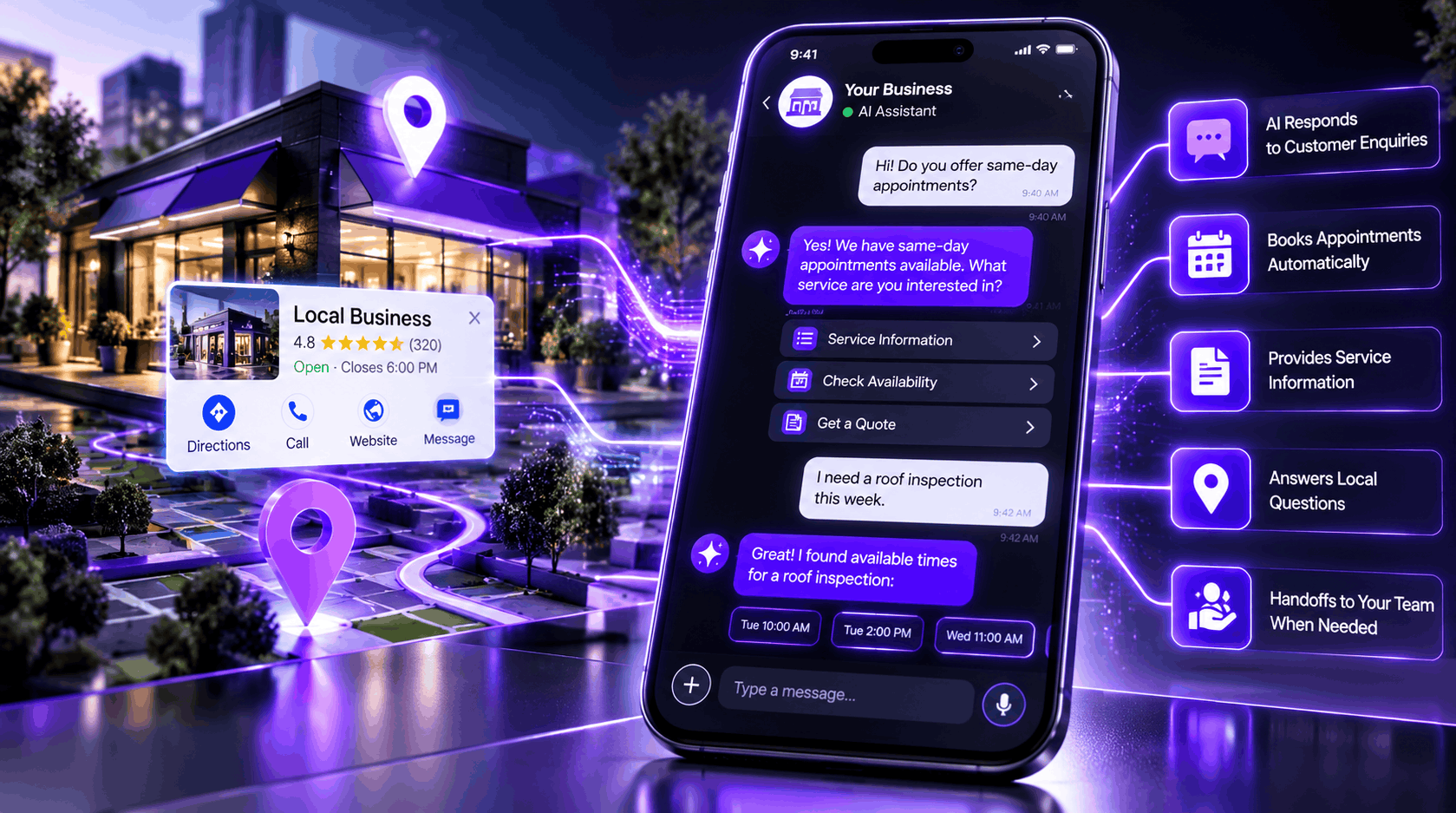
How Google’s New AI-Powered Messaging Can Transform Local Customer Communication
Google is bringing artificial intelligence directly into the customer communication experience on Google Search and Maps. With its new Google Business Profile AI Agent, eligible businesses can use AI-powered messaging to answer common customer questions, provide service information, and help customers move toward bookings without requiring a team member to respond to every routine enquiry.
For local businesses, this development introduces a new opportunity to improve customer communication and capture potential leads. Instead of relying entirely on phone calls or manually answering every question, businesses can allow an AI agent to handle routine conversations and transfer more complicated enquiries to a human representative.
But how does this feature actually work? Who can use it? What does Google require before activation? And how should businesses prepare their websites and Google Business Profiles?
Let’s explore everything local business owners and marketing agencies need to know.
What Is the Google Business Profile AI Agent?
The Google Business Profile AI Agent is an AI-powered customer messaging feature that uses Google’s RCS for Business technology to facilitate conversations between businesses and potential customers.
Customers can discover a participating business through Google Search or Maps and initiate a conversation. They can then continue chatting through their phone’s native messaging application.
The AI agent can automatically answer common questions, explain available services, provide relevant business information, and help customers with booking enquiries.
For example, imagine someone searching for an auto glass repair company.
Instead of calling immediately, the customer starts a conversation and asks:
Customer: Do you offer windshield replacement?
AI Agent: Yes! We provide windshield replacement services. Would you like to learn more or request an appointment?
Customer: Can I get an appointment tomorrow?
AI Agent: I can help you explore available appointment options. What time works best for you?
If the conversation involves a complicated service request or a question the AI cannot answer, it can hand the conversation over to a human representative.
This allows businesses to respond to routine enquiries more efficiently while keeping people involved when personal assistance is needed.
How Does Google’s AI-Powered Messaging Work?
Google’s AI agent uses information from two important sources:
1. Your Google Business Profile
The AI agent references information available in your verified Business Profile, including:
- Business name and location
- Operating hours
- Business phone number
- Listed products and services
- Other relevant business information
This makes maintaining an accurate and complete Google Business Profile particularly important.
2. Your Verified Website Information
Google also references verified website URLs to help provide relevant information during customer conversations.
For example, an auto repair business with dedicated service pages can provide more useful information about brake repairs, oil changes, tire services, and other offerings.
This makes website accuracy and consistency an important part of preparing for AI-powered customer communication.
Local SEO recommendation: Review your website’s service pages, business information, contact details, and Google Business Profile before activating the AI agent. Inaccurate information can lead to confusing customer experiences.
Who Can Use the Google Business Profile AI Agent?
The feature is not currently available to every business.
According to Google’s published documentation, AI-powered messaging is currently available in:
- United States
- United Kingdom
- France
- Germany
However, availability also depends on business category and participating mobile carriers.
Google currently identifies these business categories:
- Restaurants
- Beauty services
- Vehicle services
Not every business within these categories is guaranteed access.
For example, an auto repair shop, auto glass company, restaurant, or beauty salon may be eligible, depending on Google’s rollout and other requirements.
Businesses in industries such as roofing, landscaping, construction, and custom printing should not assume they can activate the feature at this stage.
Check Google’s official documentation for the latest eligibility information.
Maintaining accurate service information is equally important. Learn how to so customers and search platforms can better understand what your business offers.
Link: https://revolutexdigital.com/optimize-google-business-profile-services/
How to Activate the Google Business Profile AI Agent
If your business has access to the feature, the activation process involves several steps.
Step 1: Open Your Google Business Profile
Sign in to the Google account that manages your Business Profile.
Search for your business on Google and look for the available messaging or AI agent activation option.
Step 2: Accept the Additional Terms
Google presents additional terms for RCS for Business messaging.
Review the requirements carefully before accepting them.
Step 3: Provide Your Business Contact Details
You may be asked to provide:
- Authorized representative’s first and last name
- Active business email address
- Business website or official social media profile
- Privacy Policy URL
- Terms of Service URL
Make sure these details accurately represent the business being onboarded.
Step 4: Complete Business Verification
Activating AI-powered messaging involves an additional independent verification process beyond standard Google Business Profile verification.
For US businesses, Google requires official business registration information, including an EIN, along with other identity and contact details.
An authorization email may also need to be confirmed before the review begins.
Google states that US reviews can take up to four business days, accounting for carrier network approvals.
Step 5: Configure and Test Your AI Agent
After approval, review the agent’s available settings.
You can configure its welcome message, customer conversation starters, and human handoff notifications.
Test common customer questions before relying on the agent for everyday communication.
Why Does Google Require a Privacy Policy and Terms of Service?
One important part of Google’s AI messaging activation process is providing legal and compliance information.
Businesses onboarding in the United States must provide publicly accessible Privacy Policy and Terms of Service links.
These documents explain how the business handles customer information, communication, and service conditions.
Privacy Policy
A Privacy Policy should explain:
- What customer information the business collects.
- How customer information is used.
- How enquiries and communication data are handled.
- Whether information is shared with service providers.
- How customers can request access to or deletion of their information.
- How customers can contact the business regarding privacy concerns.
Terms of Service
Terms of Service should explain:
- The business’s services and conditions.
- Customer responsibilities.
- Appointment and cancellation policies, where applicable.
- Pricing and payment conditions.
- Relevant service limitations and disclaimers.
- Business contact information.
Can You Use Your Agency’s Privacy Policy for a Client?
No, not simply because your agency manages the client’s Google Business Profile.
For example, if Revolute X Digital manages an auto glass company’s Business Profile, the legal documents should represent that auto glass business and its actual data practices.
Using Revolute X Digital’s legal pages for an unrelated client’s AI messaging verification would not be an appropriate substitute.
If the client does not have these pages, create them on the client’s own website and ensure they accurately reflect the business.
For WordPress websites, these pages can be published using straightforward URLs:
/privacy-policy//terms-of-service/
This is also an opportunity for digital marketing agencies to improve their clients’ website compliance and overall online presence.
What Happens When the AI Agent Cannot Answer a Customer?
AI automation does not mean removing human involvement.
Google has built a handoff process into its messaging experience.
When a customer asks a complicated question, requests human assistance, or raises a subject that requires additional attention, the AI agent can transfer the conversation to the business.
The business can then respond manually.
Google provides two conversation management categories:
AI Agent: Conversations currently handled automatically by AI.
Needs Your Attention: Conversations requiring a response from a human representative.
Businesses can monitor conversations, receive notifications, take over chats, and resume AI handling when appropriate.
For example, a customer asking for a basic service description may receive an automated response. However, a customer requesting a complicated custom quote may need assistance from an actual employee.
This combination of automation and human support can make customer communication more manageable.
How Can Local Businesses Optimize Their Google Business Profile for AI Messaging?
Activating an AI agent is only one part of the process. Businesses should also ensure their online information is accurate and useful.
Here are several areas worth reviewing.
1. Optimize Your Google Business Profile Services
Add accurate services with clear descriptions.
For an automotive business, examples might include:
- Windshield replacement
- Windshield chip repair
- Auto glass installation
- Mobile auto glass repair
- ADAS calibration
Avoid adding services the business does not actually provide.
2. Maintain Consistent Business Information
Check your business name, address, phone number, hours, and website.
Your website and Google Business Profile should communicate consistent and accurate information.
3. Improve Your Website’s Service Pages
Create dedicated pages for important services rather than relying on a single generic services page.
For example, an auto glass company could have separate pages explaining windshield replacement, windshield repair, and mobile auto glass services.
Include relevant service details, customer questions, and clear contact options.
4. Add Privacy and Terms of Service Pages
Make sure both pages are published, publicly accessible, and relevant to the actual business.
For businesses preparing for Google’s RCS verification, these are essential onboarding requirements in the United States.
5. Configure Useful Conversation Starters
Google allows businesses to add up to three preset conversation starters.
For an automotive business, useful examples include:
- Can I get a windshield replacement estimate?
- Do you offer mobile auto glass repair?
- Can I schedule an appointment?
These questions help customers begin conversations with less effort.
Does Google’s AI Agent Improve Google Maps Rankings?
An important distinction: activating Google’s AI agent should not be treated as a direct Google Maps ranking factor.
Its primary purpose is customer communication and engagement, not improving organic rankings.
However, it can offer indirect business benefits.
For example:
- Customers may receive answers more quickly.
- Businesses can handle routine enquiries more efficiently.
- Potential customers can explore services before contacting the business.
- Complicated enquiries can reach the appropriate team member.
- Businesses can identify common customer questions.
From a Local SEO perspective, this feature should complement your existing optimization strategy rather than replace it.
Your Google Business Profile categories, service information, reviews, website relevance, local authority, and overall business prominence still deserve attention.
What Does Google’s AI Messaging Mean for Local SEO Agencies?
For digital marketing agencies, this development creates an additional opportunity to help clients improve their customer communication systems.
Agencies already providing Google Business Profile optimization can expand their services to include AI messaging readiness and implementation.
For example, an agency could provide:
- Google AI messaging eligibility assessments.
- Business information and service optimization.
- Website content alignment.
- Privacy Policy and Terms of Service preparation.
- RCS onboarding assistance.
- AI welcome message configuration.
- Conversation starter optimization.
- Human handoff configuration.
- Ongoing conversation monitoring and reporting.
At Revolute X Digital, we believe local visibility should extend beyond appearing in search results.
Businesses also need effective ways to communicate with potential customers once they discover them.
AI-powered customer messaging represents another development in the evolution of local search and customer experience.
Frequently Asked Questions
1. Is Google’s Business Profile AI Agent free?
Google’s early-access invitation describes the pilot as available at no cost. However, businesses should review applicable RCS terms and carrier messaging conditions. Standard messaging charges may apply in some circumstances.
2. Is the AI agent available for every Google Business Profile?
No. Availability is currently limited by country, business category, and participating mobile carriers. Eligible businesses should check their individual Business Profile for access.
3. Do I need a website to activate Google’s AI agent?
Google’s verification guidance allows a valid business website or an active official social media profile as a business presence. However, US businesses must also provide publicly accessible Privacy Policy and Terms of Service links.
4. Can a marketing agency activate AI messaging for multiple clients?
An agency can assist with managing eligible client profiles, but each business must complete its own onboarding and verification requirements using its own legal business identity and authorized representative details.
5. Can the AI agent book appointments?
The agent can help customers with booking enquiries and appointment options. Actual booking availability depends on the business’s supported booking setup and integrations.
6. Can businesses take over conversations from the AI agent?
Yes. Businesses can monitor conversations, respond manually, and resume AI handling when appropriate.
7. Does AI messaging improve Google Business Profile rankings?
There is currently no established evidence that activating AI messaging directly improves Google Maps rankings. Its primary purpose is to improve customer communication and support business enquiries.
Final Thoughts
Google’s AI-powered Business Profile messaging is another step toward making local business interactions more conversational and accessible.
For eligible businesses, it creates an opportunity to answer routine questions, guide customers toward bookings, and provide assistance without relying entirely on manual responses.
However, successful implementation requires more than simply clicking an activation button.
Businesses should maintain accurate Google Business Profile information, improve their website’s service content, prepare the required legal documents, and establish a reliable process for handling conversations that need human assistance.
As AI continues to influence how customers discover and interact with local businesses, companies that prepare their digital presence today will be better positioned to adapt to future developments.
Need help preparing your Google Business Profile for AI-powered customer communication?
Revolute X Digital helps businesses strengthen their local search presence through Google Business Profile optimization, Local SEO, website optimization, and AI Search Visibility strategies.
Visit Revolute X Digital to explore how we can help improve your business’s digital presence.
Important source references for editorial accuracy:

Zack
Zack Robinson is a Digital Marketing Specialist at Revolute X Digital, specializing in SEO, Local SEO, Google Business Profile optimization, AI automation, and lead generation. He helps businesses improve their online visibility, attract qualified customers, and achieve sustainable growth through data-driven digital marketing strategies.