
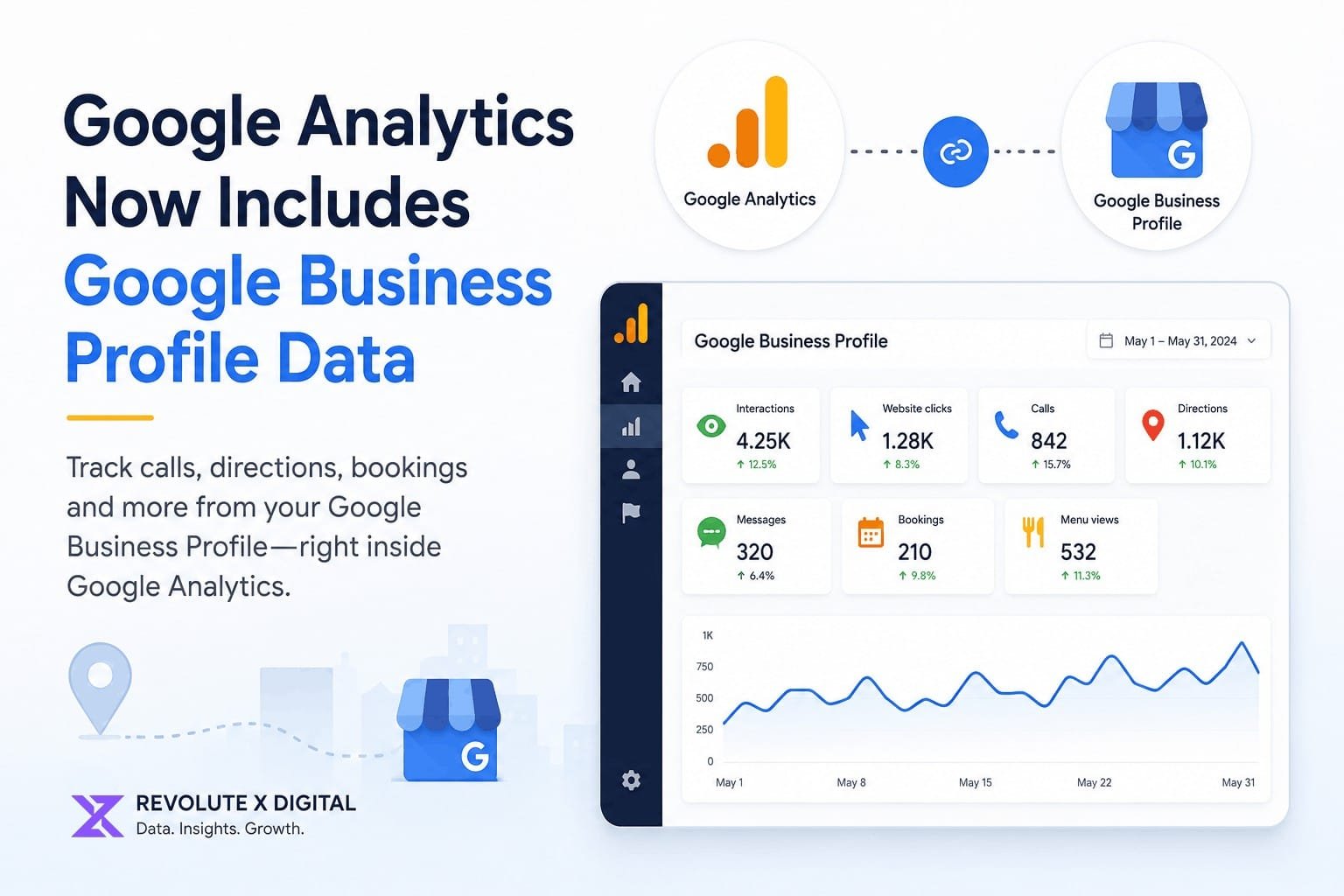
Understanding how customers interact with your business online has always required jumping between multiple platforms. Website performance lived inside Google Analytics, while calls, direction requests, and other local engagement metrics remained inside your Google Business Profile.
That separation is beginning to change.
Google has introduced a native integration between Google Analytics and Google Business Profile, allowing businesses to view key local engagement metrics directly within their Analytics reports. This update gives local businesses a more complete view of how customers discover and interact with them across Google’s ecosystem.
For business owners, marketers, and local SEO professionals, this development creates new opportunities for performance analysis while also introducing some limitations that are important to understand.
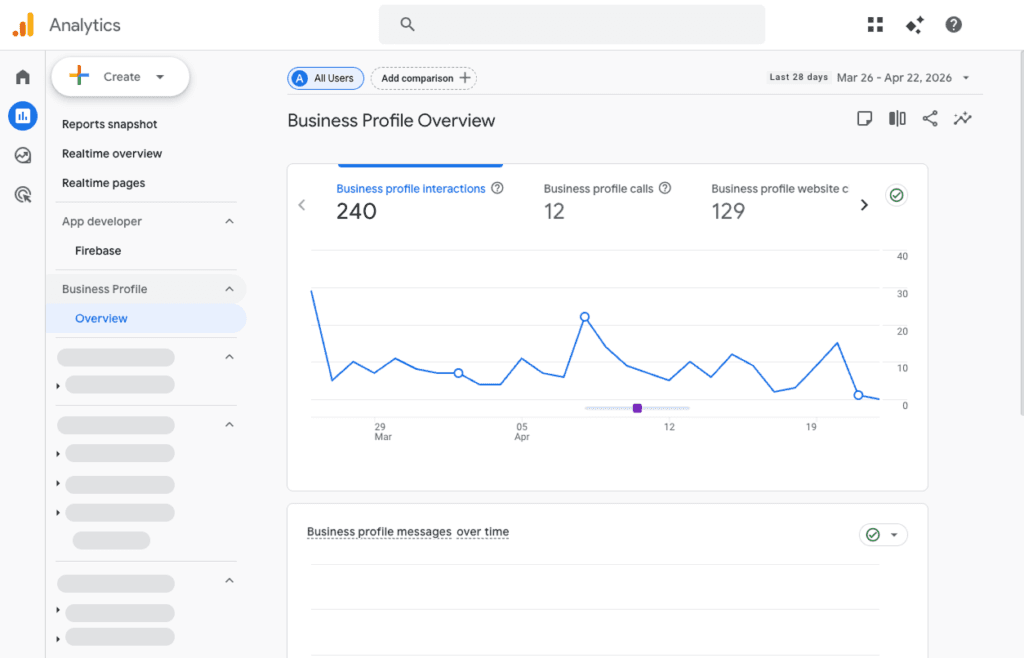
What Is the New Google Business Profile Integration?
Google now allows businesses to connect their Google Business Profile directly to Google Analytics through the Product Links section within Analytics Admin settings.
Once connected, Analytics can display local engagement data generated from your Business Profile, bringing important offline and local interactions into the same reporting environment used for website analysis.
This means businesses can better understand how local search visibility contributes to customer actions without constantly switching between platforms.
What Business Profile Metrics Are Available in Google Analytics?
After linking your accounts, a dedicated Google Business Profile reporting section becomes available within Google Analytics.
The integration currently includes the following metrics:
Interactions
Tracks overall engagement occurring through your Business Profile.
Website Clicks
Measures how many users clicked through from your profile to your website.
Phone Calls
Shows call activity generated directly from your Google Business Profile listing.
Direction Requests
Tracks users who requested directions to your business location.
Messages
Displays customer messages initiated through your profile.
Bookings
Measures appointment and booking actions where applicable.
Menu Views
Available primarily for restaurants and businesses that publish menus through their profile.
These metrics provide a broader picture of customer engagement beyond traditional website visits.
Why This Update Matters for Local SEO
For years, local SEO reporting relied heavily on UTM tracking parameters added to Google Business Profile links.
While UTM tracking remains valuable, it only captures users who actually visit your website.
Many valuable customer actions happen directly within Google Search and Google Maps, including:
- Phone calls
- Direction requests
- Appointment bookings
- Messages
- Menu views
These actions often represent high-intent leads and conversions.
With this integration, businesses can now evaluate these local interactions alongside website traffic, helping create a more complete customer journey analysis.
For agencies and local SEO specialists, this provides stronger reporting capabilities when measuring the impact of Google Business Profile optimization efforts.
Key Limitations You Should Know
Although this integration is a welcome improvement, it is not without restrictions.
No Individual Location Reporting
Businesses with multiple locations may encounter the biggest challenge.
If multiple Business Profiles are connected, Google Analytics combines all metrics into a single dataset.
Currently, users cannot:
- Separate performance by location
- Filter individual branches
- Compare locations against each other
This limitation reduces the usefulness of the integration for franchise businesses, enterprise organizations, and agencies managing large location portfolios.
Limited Data Retention
Google Analytics stores Business Profile metrics for only six months.
This means:
- Long-term historical reporting is unavailable
- Year-over-year local performance analysis is limited
- Businesses should maintain separate records for long-term trend tracking
Organizations that require historical local SEO reporting may still need exports from Google Business Profile or additional reporting tools.
Not Available in Advanced Analytics Features
The new metrics currently cannot be used in:
- Explorations
- Comparisons
- Custom filters
- Subproperties
This restriction limits deeper analysis and advanced reporting workflows.
How This Differs From the Google Business Profile Dashboard
Interestingly, Google Analytics displays all available Business Profile metric categories, regardless of business type.
The Business Profile dashboard itself often hides metrics that are not relevant to a specific business.
As a result, users may notice slight differences in reporting experiences between the two platforms.
For detailed location-level insights, the Google Business Profile dashboard still offers greater granularity than Analytics.
Who Benefits Most From This Integration?
Single-Location Businesses
Businesses operating from a single location stand to gain the most value.
Examples include:
- Local service providers
- Law firms
- Medical practices
- Restaurants
- Home service businesses
- Retail stores
These organizations can now monitor website traffic and local customer actions from one reporting platform.
Local SEO Agencies
Agencies managing small business clients can provide more comprehensive performance reporting by combining local engagement and website data.
This creates stronger visibility into how local SEO efforts contribute to business growth.
Multi-Location Brands
Large brands and franchises may find the integration less useful due to the lack of location-level segmentation.
Many will still need to rely on Google Business Profile Performance reports and API-based reporting solutions for detailed analysis.
Best Practices for Using the New Integration
To maximize the value of this feature:
Verify Your Business Profile Is Fully Optimized
Ensure your profile includes:
- Accurate business information
- Updated business hours
- Relevant categories
- Quality images
- Consistent contact information
Strong optimization improves the quality of the data being collected.
Continue Using UTM Parameters
Even with the integration available, UTM tracking remains essential for understanding website behavior after users leave your profile.
Monitor Calls and Direction Requests
These actions often indicate stronger purchase intent than standard website visits.
Tracking trends in these metrics can provide valuable insight into local search performance.
Combine Local and Website Data
Look for relationships between:
- Profile visibility
- Website traffic
- Lead generation
- Customer conversions
This creates a more complete picture of marketing effectiveness.
What Could Come Next?
Google has not confirmed whether location-level reporting will be added in future updates.
However, businesses and agencies would benefit significantly from:
- Individual location reporting
- Advanced filtering
- Historical data retention improvements
- Custom report support
- Exploration integration
As local search continues to evolve, these enhancements would make the platform substantially more valuable for serious marketers.
Conclusion
Google’s new Business Profile integration brings local engagement metrics directly into Google Analytics, helping businesses better understand how customers interact with them across Google Search and Maps.
For single-location businesses, the update offers a more convenient way to analyze calls, direction requests, bookings, and website traffic in one place.
However, multi-location organizations may still need additional reporting tools due to the lack of location-specific segmentation and limited data retention.
As local SEO becomes increasingly important for visibility and lead generation, this integration represents another step toward unified reporting and a more complete understanding of customer behavior.
Businesses that actively invest in local search optimization and performance measurement will be better positioned to capitalize on these insights as Google’s reporting ecosystem continues to evolve.
Frequently Asked Questions
How do I connect Google Business Profile to Google Analytics?
You can connect your Google Business Profile through the Product Links section inside the Google Analytics Admin settings.
What Business Profile metrics appear in Google Analytics?
Metrics include interactions, website clicks, phone calls, direction requests, messages, bookings, and menu views.
Can I view individual location performance in Analytics?
No. If multiple Business Profiles are connected, Analytics combines the data into a single report.
How long does Google Analytics keep Business Profile data?
Currently, Google Analytics stores Business Profile data for six months.
Does this replace Google Business Profile reporting?
No. The Business Profile dashboard still provides more detailed location-specific reporting and performance insights.
Is this integration useful for local SEO?
Yes. It provides better visibility into customer actions such as calls, direction requests, and bookings that occur directly from local search results.
Can agencies use this feature for client reporting?
Yes, especially for single-location businesses where local engagement data can be viewed alongside website analytics.
Should I still use UTM parameters?
Absolutely. UTM tracking remains important for understanding website behavior after users click through from your Business Profile.

Jason
We are an Affordable Digital Marketing Agency in Shawnee with budget-friendly solutions to amplify your brand. Elevate your business without compromising quality or cost.